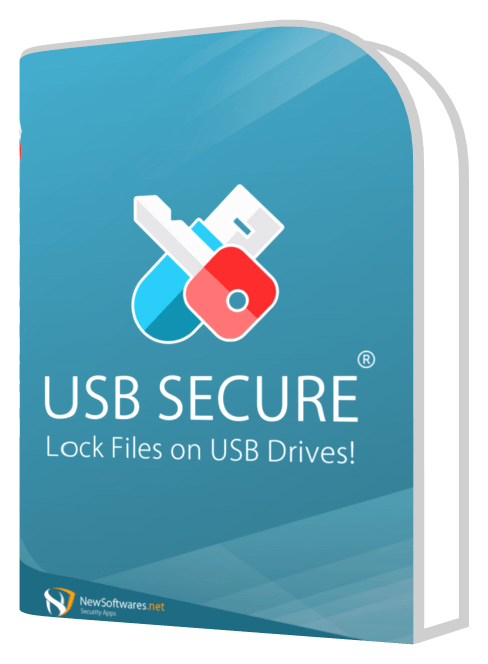
Use USB Secure only inside its tested boundary
USB Secure may fit selected Windows-based portable-drive delivery workflows after current-version testing. It must not be described as hardware encryption, universal Mac or Android access, enterprise key management, guaranteed recovery or a substitute for physical custody.
The production team pilots the current USB Secure release with fictional schedules on the exact drive model. It verifies setup, protect/unprotect, reconnect, offline access, recipient-device compatibility, plaintext residue and backup before approving a limited vendor-handoff use.
Run this control before handoff
- 01
Verify the official source, current release, license and supported systems.
- 02
Create a fictional delivery set on the intended drive model.
- 03
Test protection, reconnect, offline recipient access and residue.
- 04
Test backup, lost-password consequences and documented recovery.
- 05
Approve only the tested scenario; record exclusions and review date.
Log the operational evidence
Record version, installer source, license, drive model/filesystem, sender and recipient systems, manifest, protection result, residue, recovery, exclusions and owner.
Stop the handoff when
- Legacy artwork is treated as current-version proof.
- The product is called a hardware-encrypted drive.
- Mac or Android compatibility is assumed rather than tested.
State the protection boundary
Do not equate with hardware-encrypted drives or untested Mac/Android compatibility. Password protection does not replace recipient authorization, endpoint policy, backup, recovery or physical chain of custody.
Read every supplied visual with its limit

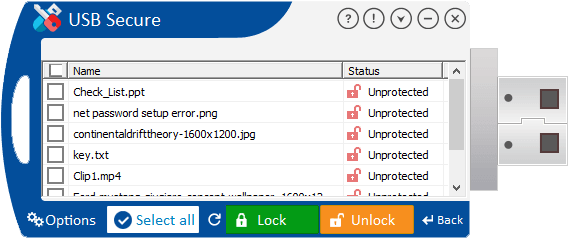
Verify the current release, exact drive, Windows environment, recipient restrictions, plaintext residue, password loss and recovery.
Event USB handoff questions
Does USB Secure replace custody controls?
No. Physical possession, recipient verification and incident response remain separate.
Do supplied visuals prove current behavior?
No. Verify the current release and actual delivery environment.
Sources for this decision
Links support specific boundaries and do not imply endorsement.